 Three-file agent13 minAn inbox agent that labels every email and drafts replies in your voice, built in plain English inside Claude Code and then put on an hourly cloud schedule. Here's the four-level method, the three files that make it work, and the safety settings you shouldn't skip.Read now →
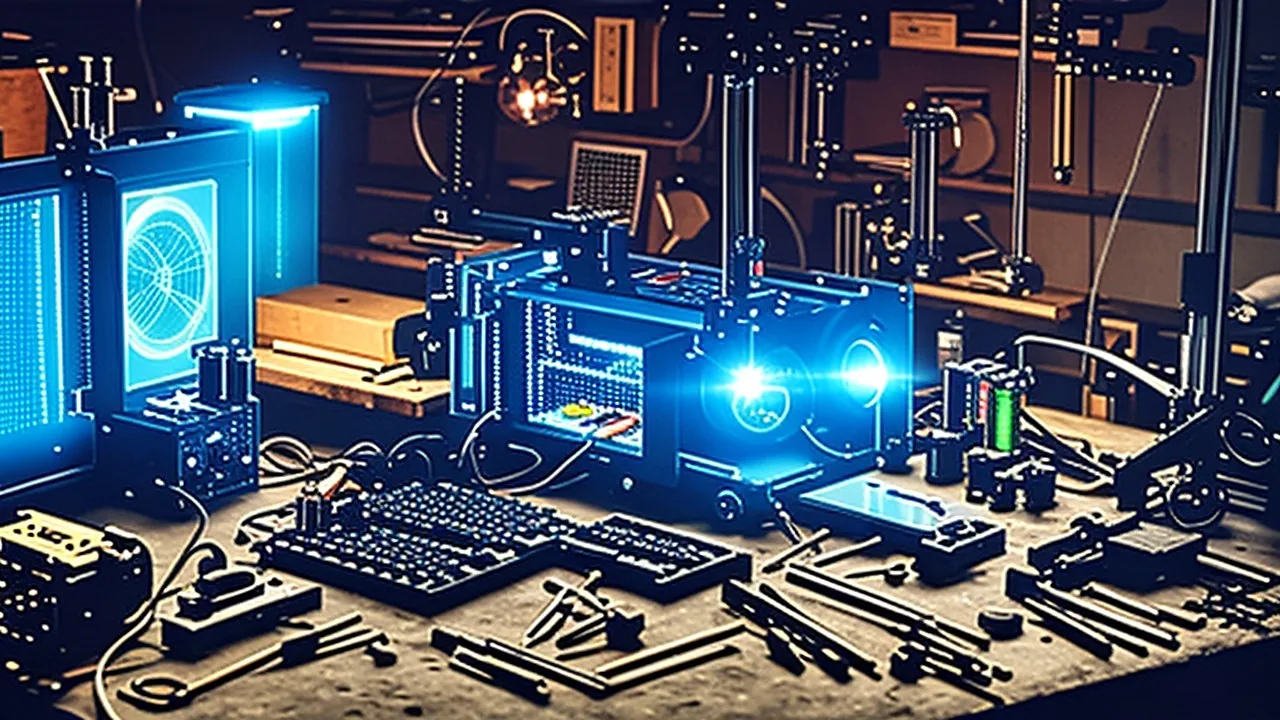
A Maker Built a Real-Life Jarvis on a Raspberry Pi. It Designed a Catapult and Sent It to the 3D Printer Itself
Most AI assistants are glorified chatbots. This one, named Ada, runs on a Raspberry Pi 5, sees the workbench, plans projects, tracks every part you own, writes CAD as code and starts the 3D print. Here is how the build works, step by step, and how you could make your own.
Advertisement
Every engineer who watched Iron Man wanted the same thing. Not the suit. Jarvis.
A voice that knows your projects. A partner you can think out loud with. Something that doesn't just answer questions but helps you build.
Most AI assistants in 2026 still miss that point. They're great at chat, scheduling and summaries. They're terrible at standing next to you at a workbench.
One maker decided to fix that, and the result is one of the most satisfying AI builds of the month. The assistant is called Ada. It runs on a Raspberry Pi 5. It can see, hear and talk. It plans projects in phases, keeps an inventory of every part on the bench, writes 3D models as code, and, in the final test, designed a six-part snap-together catapult, sliced it and started the 3D print by itself.
Advertisement
And it worked.
Here's how the whole thing fits together, and what it tells us about where personal AI is heading.
Why build Jarvis at all?
The idea is simple: an assistant is only as useful as what it can touch.
A chatbot can describe a propeller. Jarvis can design one, check you have the motor, and print it. The gap between those two is a stack of small capabilities working together:
- Senses: a camera, a microphone and a speaker.
- A brain: a model that can take in sound and images, not just text.
- Memory and structure: projects, plans and a parts database.
- Hands: the ability to produce real files and send them to real machines.
None of these is hard on its own. The magic is in wiring them up so they feel like one partner.
The hardware: why a Raspberry Pi 5
The first decision was where Jarvis should live.
A desktop computer is far more powerful than a credit-card-sized Raspberry Pi. But the builder chose the Pi for two reasons:
- Privacy and security. Keeping an always-listening, always-watching assistant on a separate device keeps it away from personal files, passwords and accounts on the main computer. If something goes wrong, the blast radius is small.
- Cost. Even after Raspberry Pi's memory-driven price increases this year, a Pi is far cheaper than a second computer.
Those increases are real, by the way. Raspberry Pi has raised prices on several models through 2026 because of shortages and soaring costs of LPDDR memory chips, and the 16GB Raspberry Pi 5 alone has had multiple hikes. Most voice-assistant builds don't need the top memory tier, though, because the heavy thinking happens elsewhere.
For senses, the build uses an all-in-one Pi 5 case with a camera, microphone and speaker built in. That keeps the hardware tidy: no tangle of USB gadgets, just one box that can see, hear and talk.
The brain: cloud first, local optional
Here's an honest choice many hobby builds skip.
Local AI, models running entirely on your own hardware, is improving fast and is hugely popular. But the builder was blunt: for this level of capability, local models still aren't as good as the big cloud models. A Pi can't run a frontier-class multimodal model in real time.
So Ada's brain is in the cloud: Gemini 3.8 Live, Google's real-time voice model in the Gemini Live API. Two reasons drove the pick:
- It's multimodal. "Multimodal" just means the model accepts different kinds of input. Instead of only text, it can take in audio, images and video. Jarvis needs to hear you and see your bench, so this is non-negotiable.
- Cost. In the builder's research it was the most affordable API that did everything required.
The Live API is built for exactly this kind of project. It streams audio in both directions over a persistent connection, so conversation feels natural instead of turn-by-turn. According to Google's documentation, it takes 16 kHz mono audio in and returns 24 kHz audio out, and the 3.8 Live model has "proactive audio" always on, meaning it can decide when a response is actually needed.
For anyone who'd rather keep everything offline, the builder promised a fully local version too. More on that below.
First contact: naming Jarvis
The first real conversation is charming.
The assistant opened by asking who it was talking to, how it should see itself and what purpose it should serve. The builder named it Ada, introduced himself as its creator, and explained the mission: be a personal Jarvis that helps design engineering projects.
Ada's answer was suitably dramatic: it was ready to serve as a personal assistant and help bring designs to life. What were they working on today?
That small exchange matters more than it looks. Giving an assistant a clear role and purpose up front shapes everything after it. It's the same principle behind system prompts in every serious AI tool.
Feature 1: projects, not chats
At this point Ada was what the builder explicitly didn't want: a glorified chatbot. Talking is nice. But in the films, Tony Stark uses Jarvis mostly for brainstorming and planning.
So the next step was a proper interface built around projects. Each project contains:
- A full project plan that Ada drafts as a foundation, which you can edit however you like.
- Phases, so the plan breaks into organized stages instead of one wall of text.
- An inspiration image, made with an image-generation model, to give a visual starting point.
- A parts list, generated from the finished plan.
This is the key design move. Conversations disappear. Projects persist. Structure turns a voice assistant into a collaborator.
The first test: a propeller that flies off
To test it, the builder pitched a toy:
A tiny DC motor with a propeller attached. Press and hold a button, and the longer you hold it, the faster it spins, until the propeller flies off the motor.
Here's how the planning conversation went:
- Ada set up a project workspace and suggested a momentary, normally open switch, a button that only completes the circuit while you hold it down. That's exactly right for "spin only while pressed."
- Power source? Ada recommended a simple pack of two AAA batteries: safe, enough voltage for a tiny DC motor, and easy to wire.
- How does the propeller fly off? Here Ada got it wrong in an interesting way. It said the propeller shouldn't fly off and proposed a secure push-fit onto the motor shaft.
- Correction. The builder pointed out that this defeated the entire purpose.
- Ada adapted. It switched to a deliberately loose friction fit, so centrifugal force releases the propeller at high speed.
Then Ada produced a complete parts list.
The propeller moment is a perfect snapshot of working with AI. Models carry strong defaults, here, "parts should stay attached," and will quietly "fix" what you actually want. The skill is noticing and steering. The good news: one sentence of correction was enough.
Feature 2: an inventory that remembers for you
Next, a problem every maker knows.
You buy parts. Months later, you forget you have them and buy them again. Drawers fill up with duplicate motors, sensors and switches.
Ada's fix uses its vision:
- A webcam mounted above the workbench looks down at the surface.
- When new parts arrive, you drop them on the bench.
- Ada identifies what it sees and logs everything into an inventory database.
Now, when Ada generates a parts list for a project, it can, in principle, check what's already on hand. That's the moment, the builder said, when Ada started to feel like an actual Jarvis.
It's also a quietly brilliant use of multimodal AI. Recognizing a pile of mixed components is something that would have needed a custom computer-vision model a few years ago. Now it's a prompt.
Feature 3: CAD written as code
The last step before the Jarvis title: Ada had to design things.
Designing 3D parts normally means a CAD program, clicking and dragging shapes. AI is clumsy at that. But AI is excellent at writing code.
So Ada uses build123d, an open-source Python library for code-based CAD. Instead of drawing, you write code that describes shapes, sizes and operations, and the library turns it into a solid 3D model that can be exported for printing.
A tiny example shows the idea:
from build123d import *

with BuildPart() as hub:
    Cylinder(radius=6, height=4)
    Hole(radius=1.0)   # shaft hole

export_stl(hub.part, "hub.stl")
Change a number, rerun, and the part updates. That makes CAD something a language model can reason about, revise and explain.
When the builder asked Ada to design the propeller for the toy, it came back after a couple of minutes with a working CAD design.
At this point Ada could brainstorm a project, list the parts, check inventory and design a part. But all those design files now lived on a small device, and that raised a different question.
A note on security
AI is making cyberattacks easier to carry out, and an assistant that holds your project files, sees your workspace and can control a printer is a juicy target.
The builder's answer was to keep encrypted backups of project files, encrypted on the device before upload so the storage provider can't read them. That has a second benefit any maker will appreciate: if the next version of a design goes wrong, there's a saved copy to roll back to.
It's a good habit for anyone building a home assistant:
- Run it on its own device, separate from your main computer.
- Give it only the permissions it needs: its own folders, its own printer access.
- Back up designs, ideally encrypted, and keep versions.
- Treat API keys like passwords and never hard-code them into shared code.
The final test: a catapult that snaps together
The propeller was too easy. So the builder raised the bar:
Design a small, 3D-printable catapult.
The conversation:
- Ada created a project workspace and immediately focused on a glue-free, snap-fit assembly, flagging that the launch mechanism still needed to be decided.
- The builder specified it should fire a ping-pong ball. Ada updated the brief.
- The builder described the action: press down on one side to launch. Ada updated the plan to a lever mechanism.
Then Ada designed the catapult as six separate parts, engineered to fit together without any screws, glue or hardware.
And then came the Jarvis moment. The builder connected Ada to the 3D printer. Ada sliced the parts itself, converting the 3D models into the layer-by-layer instructions a printer follows, and started the print.
After printing, assembly was easy. Every part snapped or slid into place. And, to the builder's genuine surprise, the catapult worked.
The builder's own verdict was telling: the challenge wasn't hard enough. Ada needs a bigger project.
Why this matters
It's easy to dismiss this as a fun hobby project. It's more than that.
It shows the real shape of useful AI. The model itself is off the shelf. All the value comes from connecting it to the world: senses, structured memory, a parts database, a CAD library, a printer. That's the same lesson behind every successful AI agent in 2026.
Code is the universal adapter. CAD-as-code is a great example of a broader trend. When a task can be expressed in code, AI suddenly becomes very good at it. Expect more tools to sprout code interfaces precisely so AI can drive them.
Personal fabrication is getting a co-pilot. Planning, parts tracking, design and printing used to be four separate skills. An assistant that strings them together lowers the barrier for beginners, students and small businesses that prototype products.
It's cheap. A Pi, a case with a camera and mic, an API key and a printer many makers already own. This is accessible now, not in five years.
How to build your own
You don't need to copy this exactly. Here's the general recipe:
- Pick a host device. A Raspberry Pi 5 is ideal for an isolated, always-on assistant.
- Add senses. A camera, a microphone and a speaker, or an all-in-one case.
- Choose a real-time multimodal model. Gemini's Live API is one option for low-latency voice plus vision.
- Give it structure. Store projects, plans, phases and parts in a simple database or files the model can read and update.
- Add vision inventory. Mount a webcam over your bench and have the model log parts it sees.
- Add code-CAD. Install build123d and let the model write and revise part scripts.
- Connect the printer. Use your slicer's command-line tools and your printer's network interface, with confirmation before printing.
- Lock it down. Separate device, minimal permissions, encrypted backups.
Want it fully local? You can swap the cloud model for open models running on a more powerful home machine: an open-weight language model, a local speech-to-text model and a local text-to-speech voice. Expect slower responses and weaker vision and reasoning than the best cloud models, in exchange for total privacy and no API bills.
Counterpoints and risks
- Cloud dependence. Ada's brain lives on Google's servers. Audio and camera images leave your home, and the API costs money and can change.
- Confident defaults. The propeller episode shows the model will "correct" your intent. Always review plans before parts are ordered or printed.
- Unattended machines. Letting an AI start a 3D print is convenient but carries real risk: failed prints, wasted filament and, rarely, fire hazards. Keep a human in the loop and never leave printers unsupervised.
- Vision isn't perfect. Inventory from a camera can misidentify similar-looking components. Spot-check the database.
- Hardware prices. Raspberry Pi's memory-driven price increases make larger-memory boards noticeably pricier than a year ago.
FAQ
What AI model does this Jarvis use?
Gemini 3.8 Live through Google's Gemini Live API, chosen because it's multimodal (it can handle voice and images) and affordable.
Can a Raspberry Pi run the AI itself?
Not at this level. The Pi handles the camera, microphone, speaker and interface, while the heavy AI runs in the cloud. A fully local version needs a stronger machine and accepts lower quality.
What is build123d?
An open-source Python library for code-based CAD. You describe parts in code, and it generates 3D models you can export for printing.
Can the assistant really start a 3D print?
Yes. Once connected to the printer, it sliced the catapult parts and started the job. A human should still check designs and supervise prints.
How much does it cost?
Roughly the price of a Raspberry Pi 5, a sensor case, API usage and a 3D printer if you don't already own one. Costs vary with memory tier and how much you use the API.
The bottom line
Jarvis was never really about a voice. It was about an assistant connected to the work: one that remembers your projects, knows your parts and can turn an idea into something you can hold.
A Raspberry Pi, a multimodal model, a code-based CAD library and a 3D printer got surprisingly close. The catapult worked. The builder's only complaint was that it was too easy, which is exactly the kind of problem you want with AI.
Sources
- Gemini 3.8 Live model documentation (Google AI Studio)
- Gemini 3.8 Live & Gemini 3.8 Live Extended Thinking (Google)
- Live API capabilities guide (Google AI Studio)
- build123d documentation
- Memory shortages drive Raspberry Pi prices up (Tom's Hardware)
- Price rises for some 16GB Raspberry Pi products (Raspberry Pi)

More stories you'll want to read
Three-file agent13 minAn inbox agent that labels every email and drafts replies in your voice, built in plain English inside Claude Code and then put on an hourly cloud schedule. Here's the four-level method, the three files that make it work, and the safety settings you shouldn't skip.Read now →
 AI joins the kitchen crew13 minRestaurants are a team sport, but most AI is built for one person typing into one box. Inside the push to build AI that a whole crew can use, plus a voice demo, an employee-birthday agent and some unusual ideas for how restaurants could make more money.Read now →
 AI vs TV ads12 minA viral wave of people are pointing Claude Code at their TVs to strip ads, disable trackers and build a custom home screen. Here is exactly how a full run works, what it found on a real Philips OLED, why TV tracking is a legal fight, and the real ways it can go wrong.Read now →
 Your AI chief of staff13 minA solo creator runs his whole business and a chunk of family life on a stack of reusable AI skills and scheduled bots that work in ChatGPT, Claude and Grok Bot alike. Here's every piece, how to build simple versions yourself, and the one rule that keeps it from turning into slop.Read now →
 The $1T solo company15 minVercel's founder says one person with a fleet of AI agents can already do the work of hundreds or thousands of people, and he hopes to see a single-person trillion-dollar company. Here is the full playbook behind that bet, from deleting agent-hostile software to treating your own agents like employees who ask for budget.Read now →
 Life agents12 minWork bots get the hype. Life bots pay the rent on your attention: health, home, finances, learning, and relationships — each with their own tools and boundaries.Read now →